
Merge MP3
Merge mp3 is a service for combining audio files directly in your browser. A simple and intuitive interface for creating one continuous track from multiple source files without quality loss.
How It Works
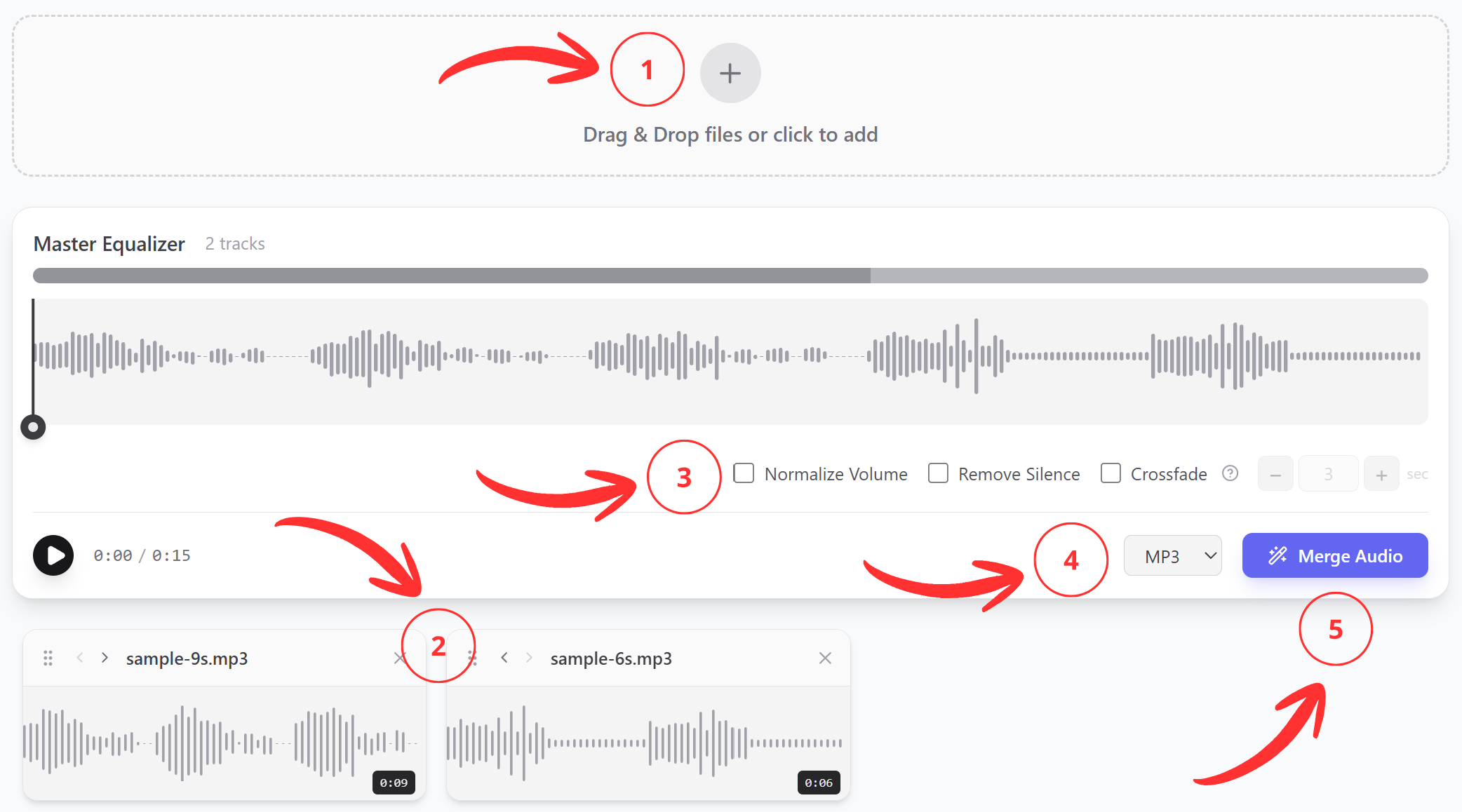
- Upload several audio files;
- Arrange them in the desired order;
- Adjust the necessary settings;
- Select the output format;
- Click “Merge” – the download will start automatically.
Who Can Benefit
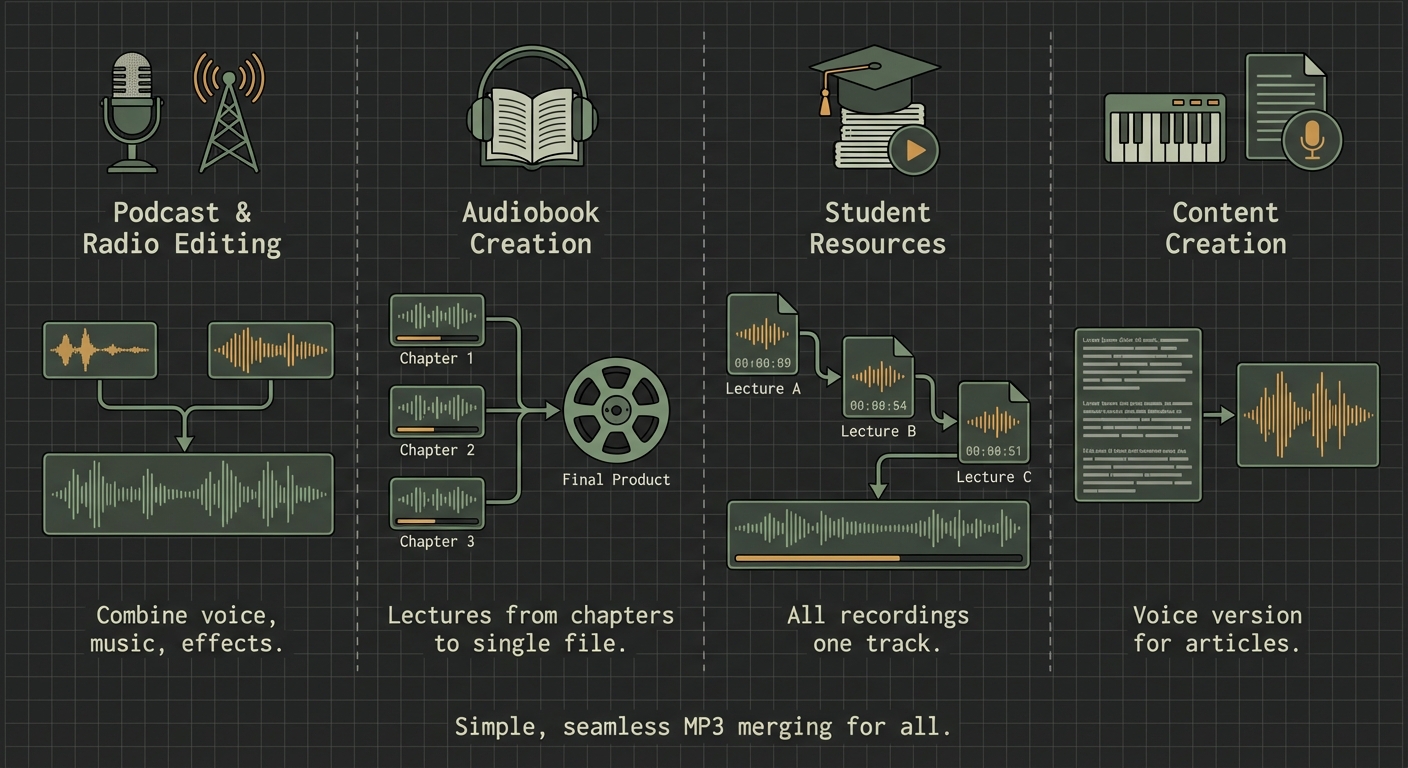
Podcast or Radio Show Editors
For combining separate materials, music inserts, and audio effects.
Audiobook Creators
For producing the final product from chapter-by-chapter recordings.
Students
For conveniently listening to lecture recordings as a single file.
Content Makers
For preparing audio versions of articles.
Tools and Features
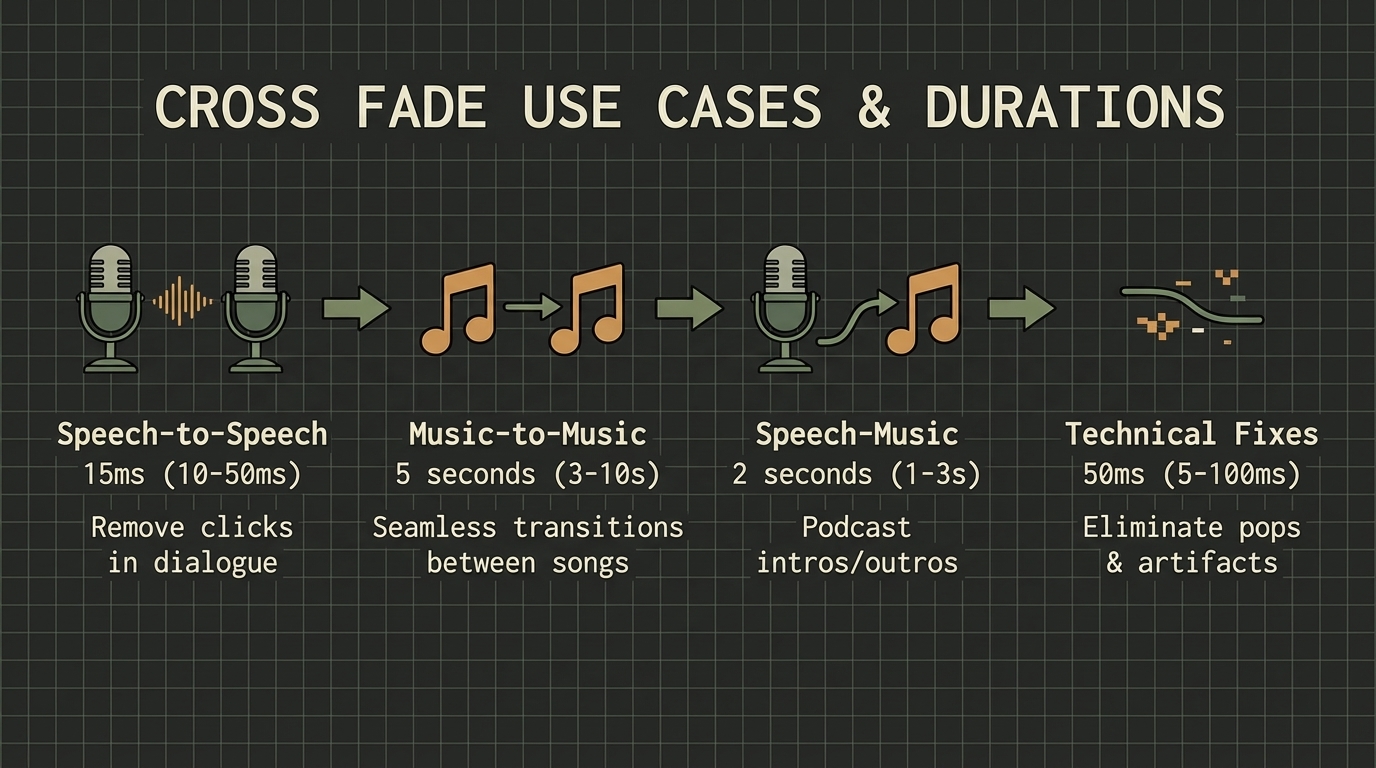
- Smooth Transitions Between Tracks
Cross Fade effect for harmonious and professional sound. - Preview
Evaluate the result before downloading. - Volume Normalization
All tracks will play at the same volume level. No need to adjust each one manually. - Conversion to Desired Format
For compatibility with any device or software. Supported formats: MP3, WAV, FLAC. - Automatic Silence Removal
Removes long silent gaps anywhere in the audio track. No need to cut them out yourself.
Advantages
Handle Large Numbers of Files
Supports uploading 100 or more files.
Processing in Your Browser
Files are not uploaded to our server. This ensures high operation speed and privacy.
Simple and Fast Workflow
Complete your task in 1-2 minutes. Clear interface without unnecessary settings.
Pricing
Use all features completely free. No registration and no payment information required. No limits on the number of operations or track length.
Development Roadmap
- Audio Trimming
For removing unwanted segments from any part of a track. - Parallel Track Layering
Ability to overlay multiple tracks simultaneously, not just sequentially. - Individual Transition Settings
Configure Fade In, Fade Out, and Cross Fade separately for each track. - Automatic File Sorting
When dealing with many files, conveniently sort them alphabetically, by creation date, or restore the original upload order.